If you’re reading this page, it means that the administrator of a center or activity you attend has selected you to try the new BookyWay app in preview. That’s great news! 😜
👉 What does it mean to be a test user?
You’ll be able to download and use the new version of the app right away, discover in advance all the upcoming features (listed below), and help us improve it by sharing your suggestions.
To send us your feedback, just write to support@bookyway.com
If you prefer, you can always return to the previous version by following the instructions at the bottom of this page.
What’s new in the test app?
🎨 A refreshed interface with a more modern and intuitive design
📅 A new calendar view that is clearer and more functional
🌈 Activity colors now match those set by the administrator
⬆️ Improved swipe-up to access the virtual notice board from the home screen
👩👩👧👧 Optimized account switching management
📖 A new section with a history of credit and purchase operations
🔄 Fixed an issue on some Android devices that prevented bookings from syncing with the default calendar.
How to become a test user
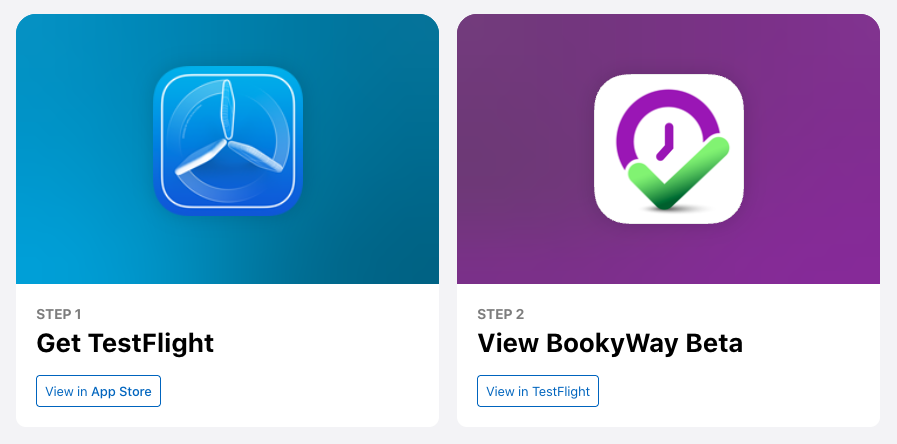
If you are an iPhone (iOS) user:

Click this link: https://testflight.apple.com/join/r3Fmzsxx
and follow the instructions that appear, as shown below…
If you are an Android user:

📲 Below you’ll find the steps to download the new app, log in correctly, and start exploring its features.
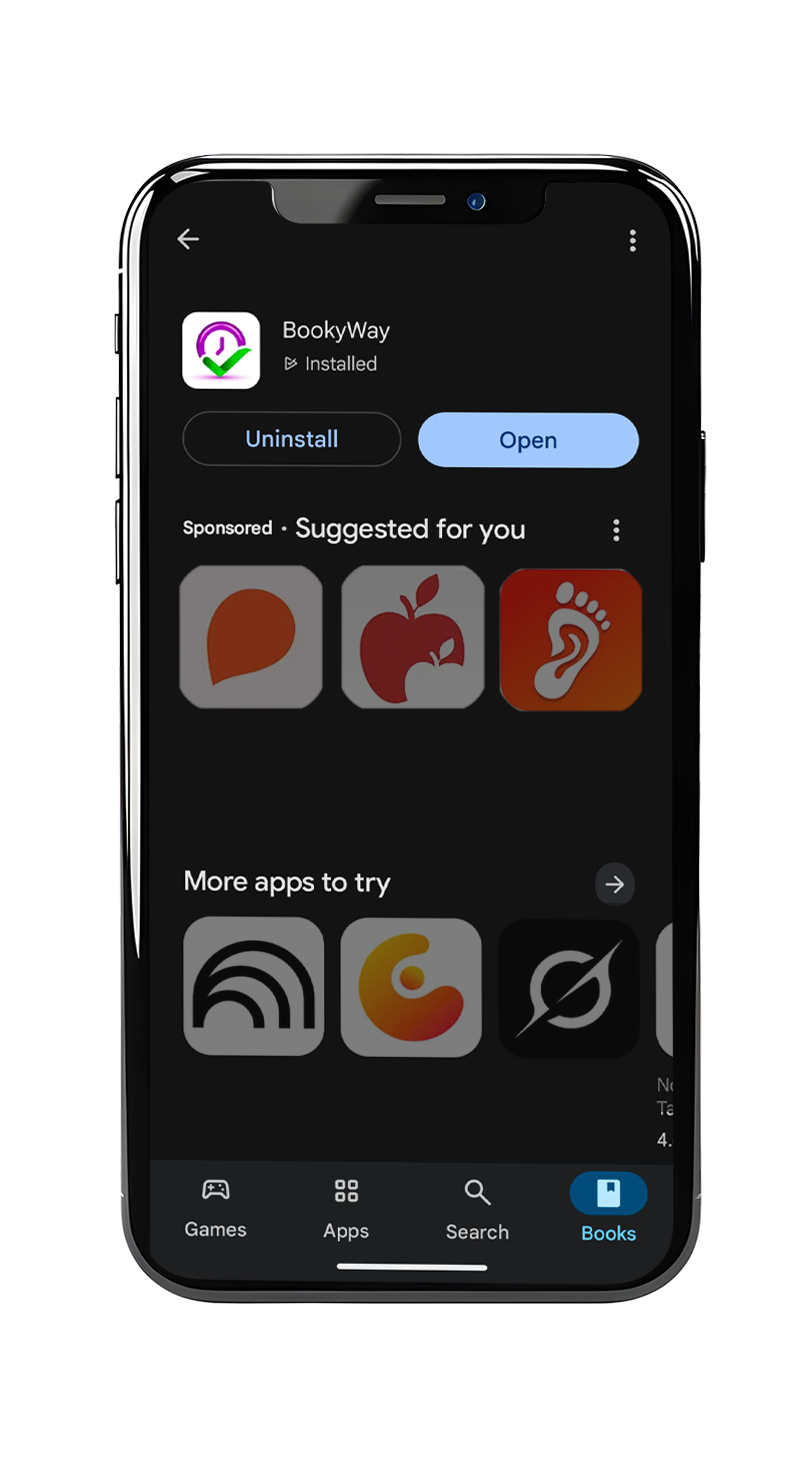
1️⃣ Go to the Google Play Store, search for BookyWay and tap the app icon, or click CLICK HERE
This way, you’ll be able to view the app details.
2️⃣ Join the beta program
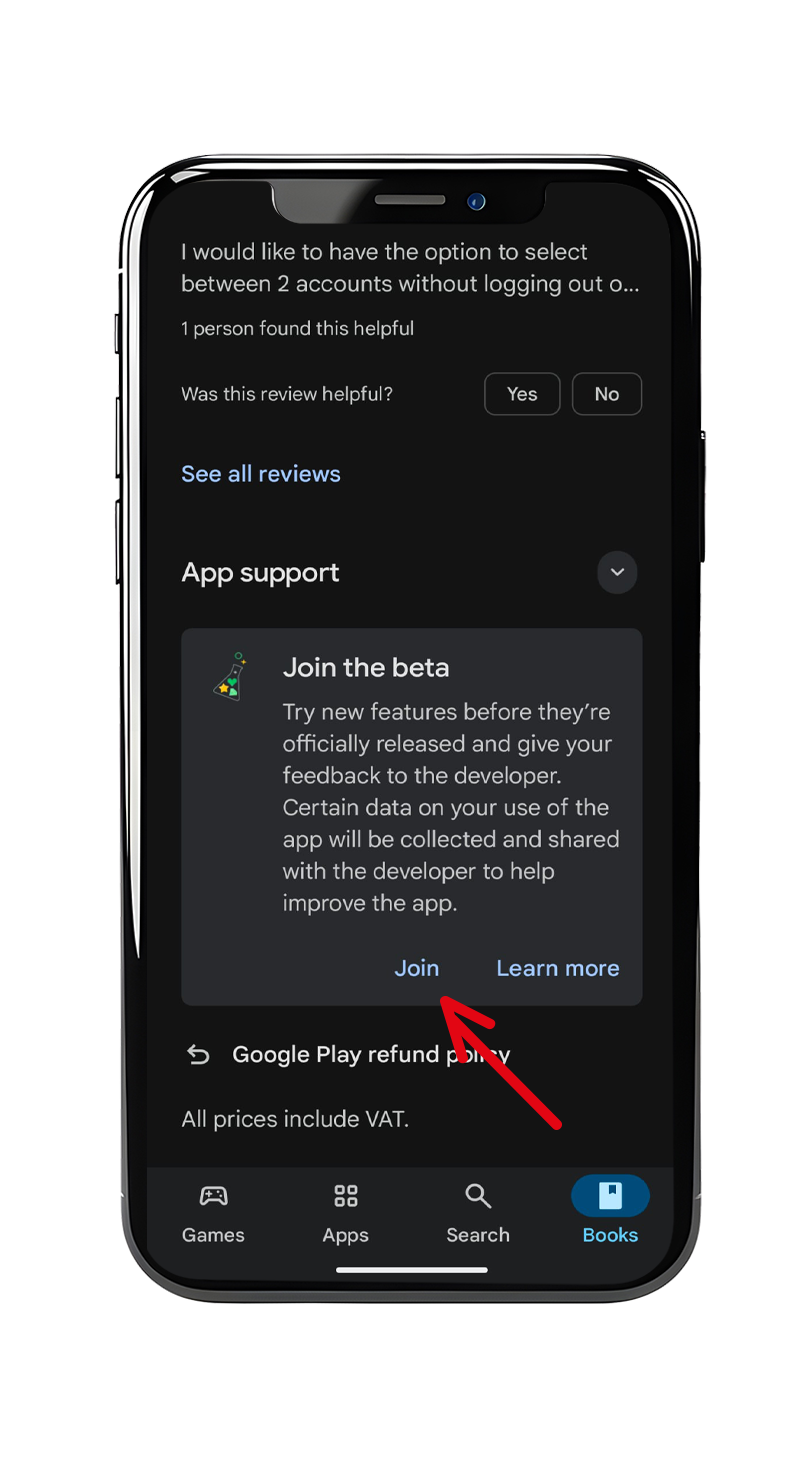
Scroll down to the section “Join the beta program”, tap Join, and confirm your choice.
3️⃣ Beta program registration in progress
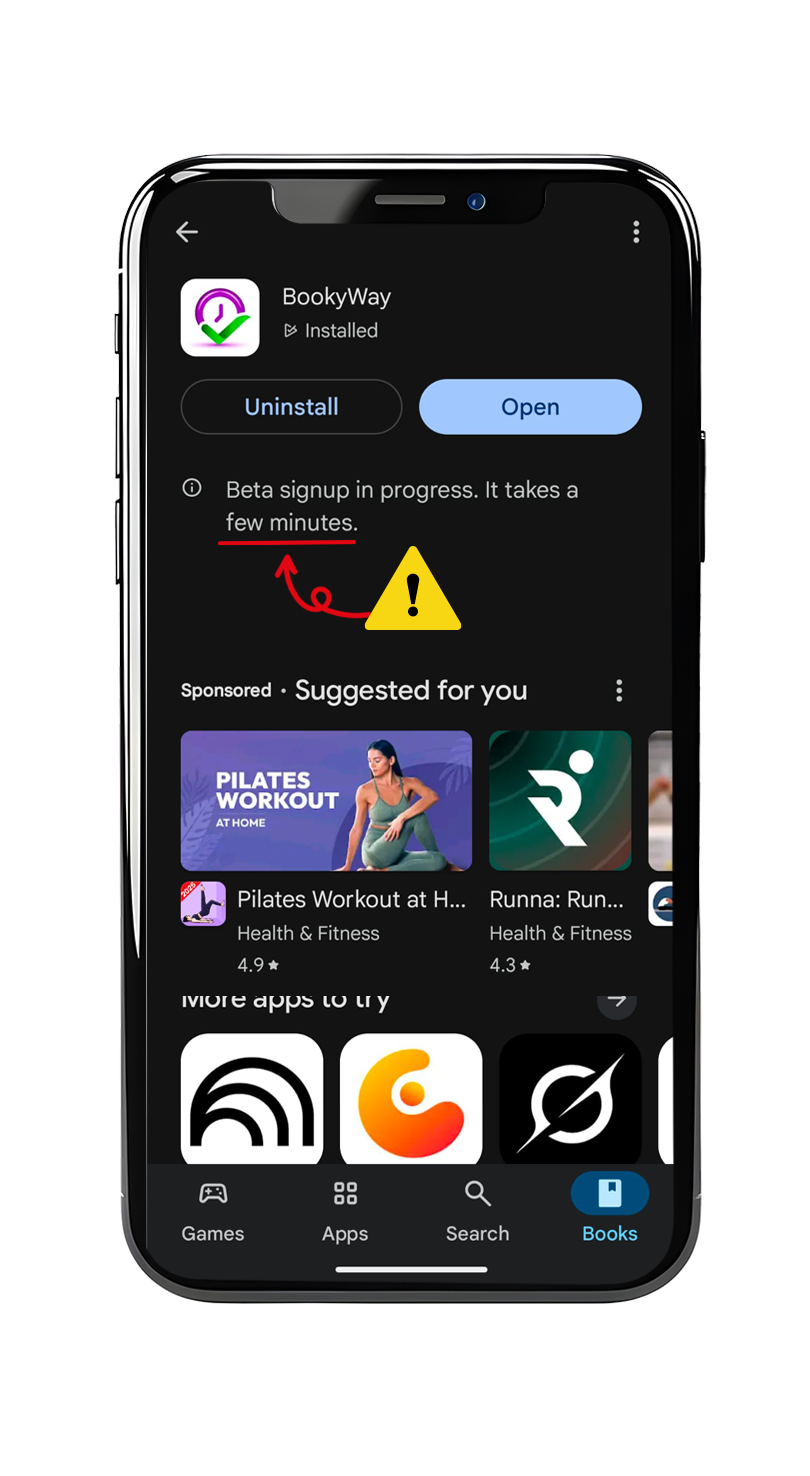
You’ve completed the beta registration. ⏳
After a few hours, go back to the Play Store and check again: if you see the next screen (step 4), you’re officially in the new app!
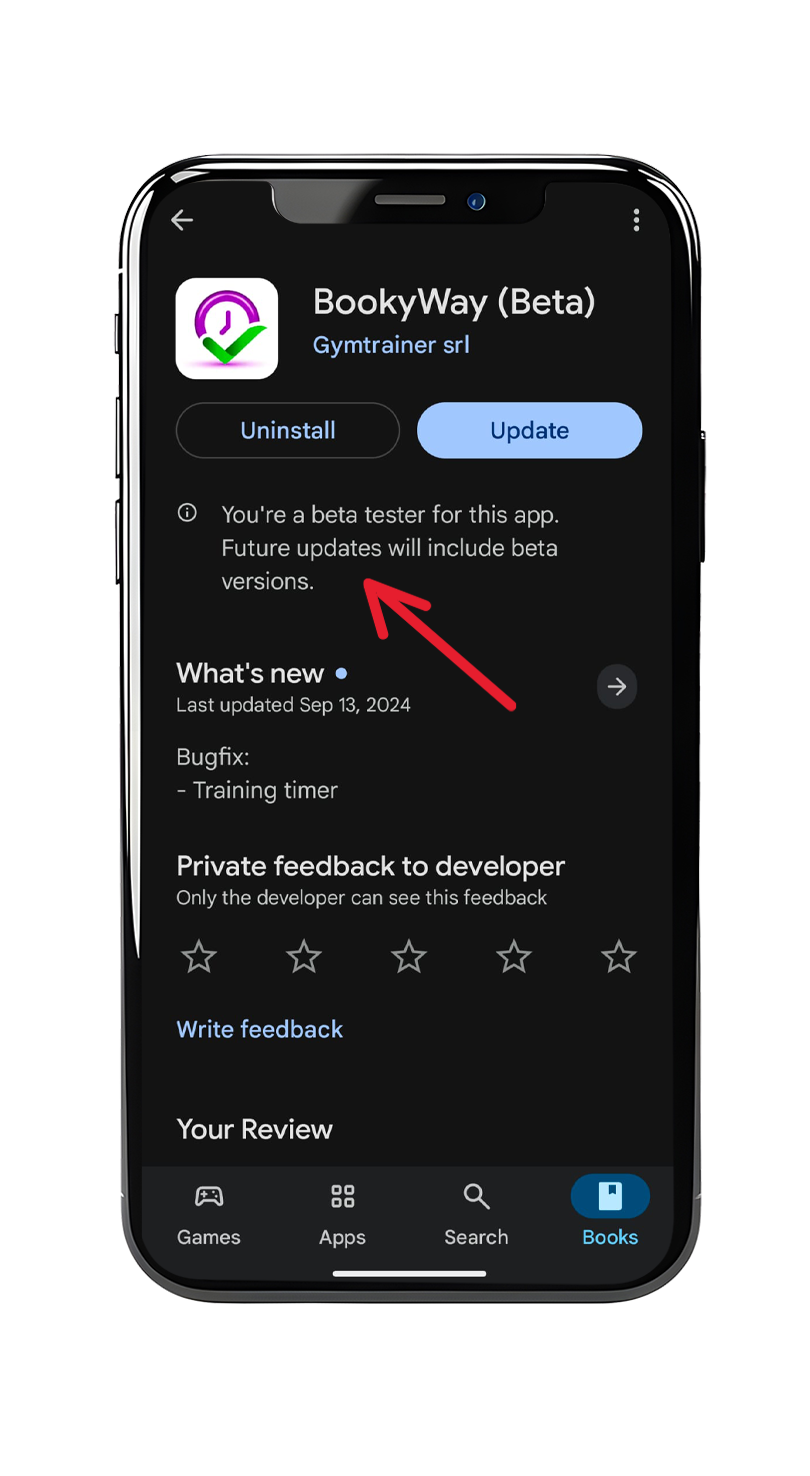
4️⃣ You’re officially a beta tester
Now tap Update to install the new version of the app
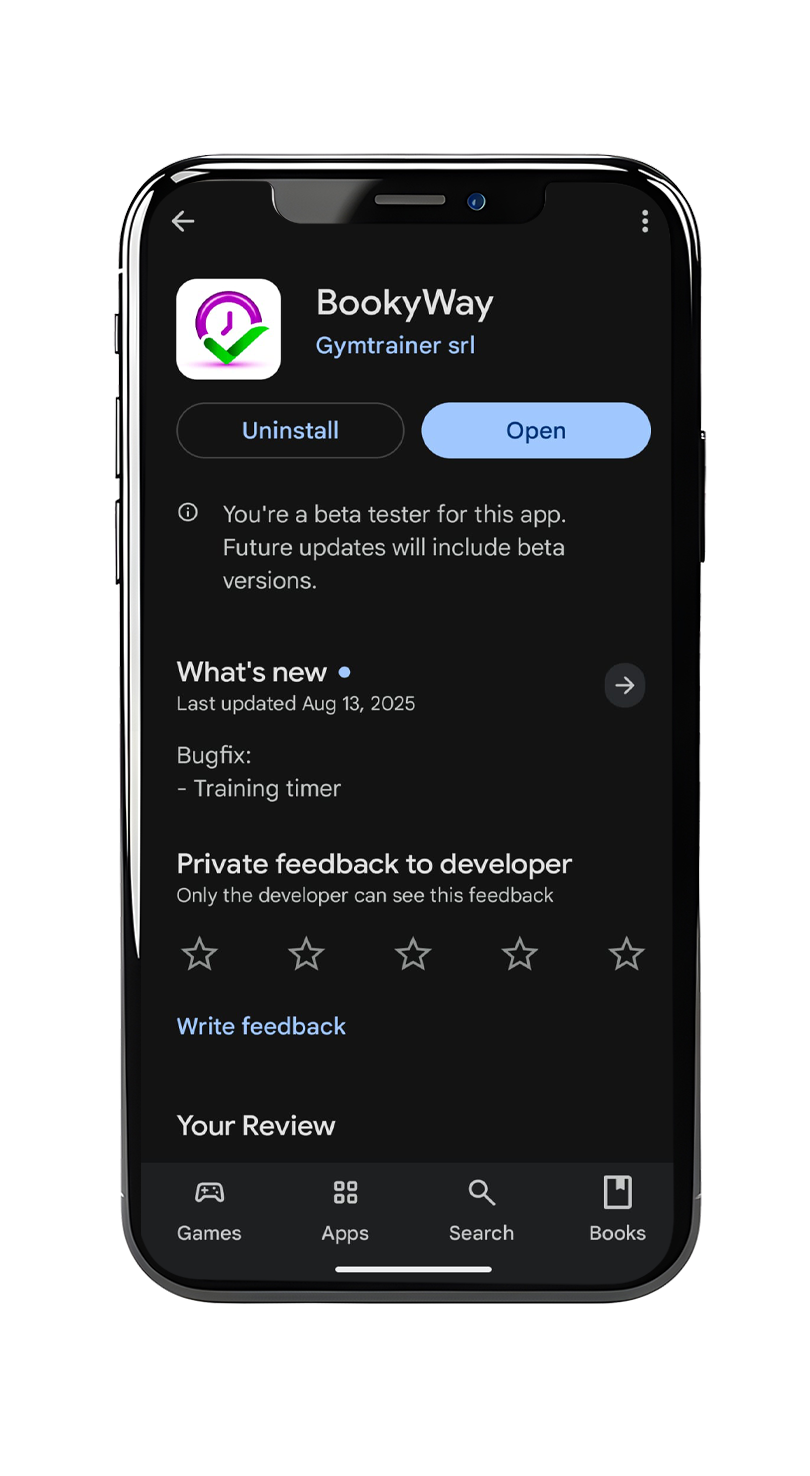
5️⃣ All set!
Now tap Open to access the preview version of the app.
Use it normally: from today you can already enjoy all the new features before the official release.
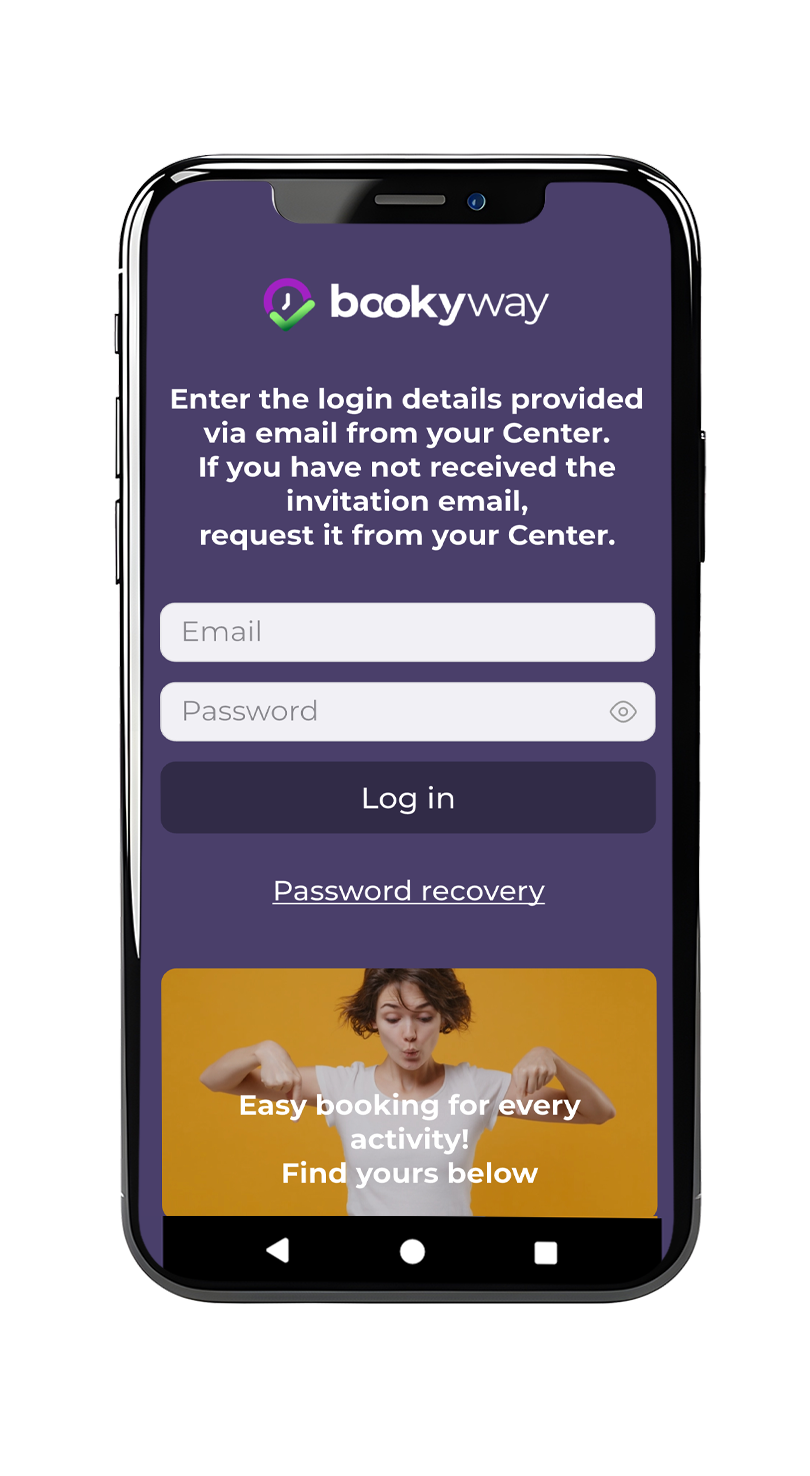
6️⃣ Log in with your credentials (email and password)
The same ones you normally use to access BookyWay.
After logging in, you can start testing the full app!
✅ You can now use the app normally.
During use, if you notice something that doesn’t work, if you have doubts, or simply want to share feedback, feel free to write to us: every report is valuable to help us improve the experience before the official release.
🔄 Want to go back to the official app version?
If for any reason you wish to stop participating in the test and restore the “classic” version of BookyWay:
- On Android: open the BookyWay page in Google Play, scroll to the Beta tester section, and tap Leave. Then uninstall the app and reinstall it normally from the store.
- On iOS: delete the test app and re-download the official version from the App Store.