
Virtual noticeboard,
push notifications and email
To keep users updated
on activities, news and offers
COMMUNICATE EFFECTIVELY, KEEP YOUR CLIENTS ALWAYS UPDATED
With BookyWay you can send fast and effective communications directly to clients using the app, maintaining clear and professional contact at all times.
You have three main tools available:
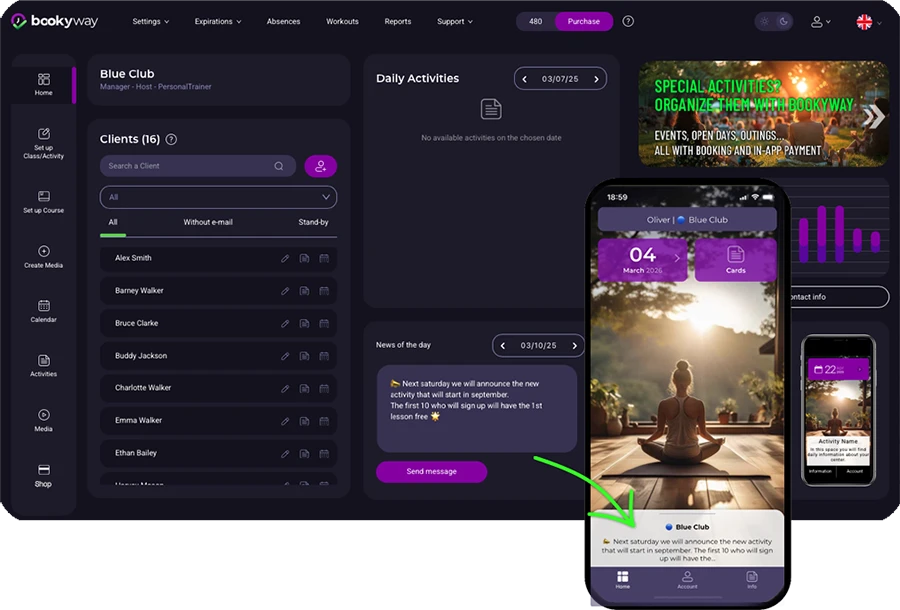
1. Virtual noticeboard
A space always accessible in the app, where you can publish messages visible at any time.
Ideal for sharing rules, updates, events, promotions and important notices.
For the administrator:
You can write a message directly from the admin platform, in the dedicated Noticeboard section.
For the user:
The message will appear in real time on the app homepage.


2. Push notifications
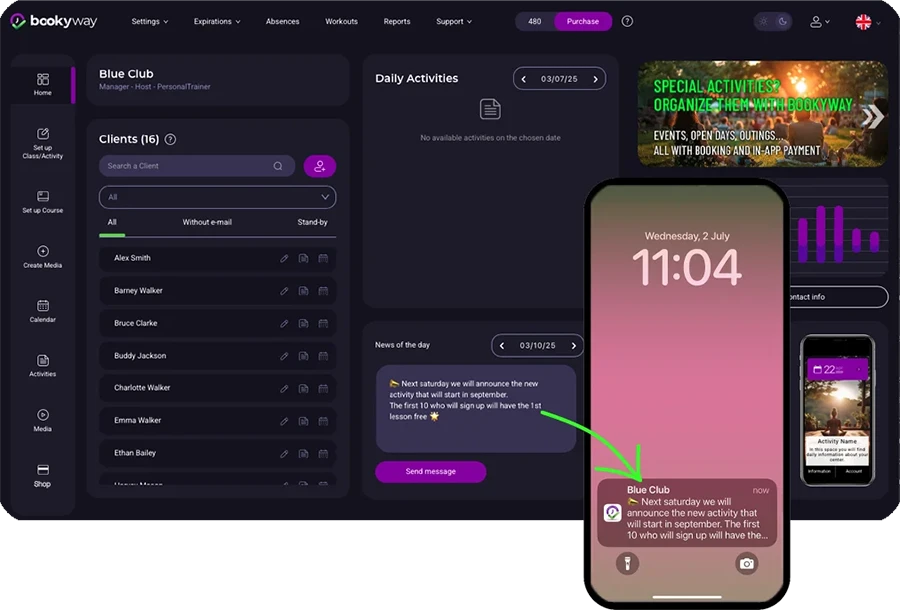
Send messages that appear as alerts on smartphones.
Perfect for urgent communications such as sudden closures, schedule changes or promotions.
For the administrator:
Push notifications are created in the same area where Noticeboard messages are written. After writing the message, send it as a push notification.
For the user:
They will receive the push notification directly on their phone, even if the app is closed or the screen is locked.
By tapping the notification, the BookyWay app will automatically open.

3. Automatic emails
The system automatically sends some email communications:
• Invitation to join BookyWay with login credentials
• Enrollment in a class/course by the administrator
• Multiple enrollments of a user into several activities by the administrator
• Automatic move from waiting list to class
• Registration of a family member in the system (e.g. a child)
Manual emails
• Notification to all participants of a class about specific information
• Password reset in case it is lost
💡 Tips
All these tools help you maintain direct and professional contact with your clients,
without needing to use external channels.
> Use the noticeboard for always-available information
> Use push notifications for urgent or time-sensitive communications
> Automatic emails handle the rest – without you needing to do anything