
New feature • Beta
BookyWay in your Google Calendar
Your center’s activities and your instructors’ classes,
alongside your other commitments in the calendar you use every day.
Available for Google Calendar, Apple Calendar and Outlook
Your BookyWay schedule at a glance
A more convenient way to view your activities:
your BookyWay calendar appears alongside your personal and work appointments.
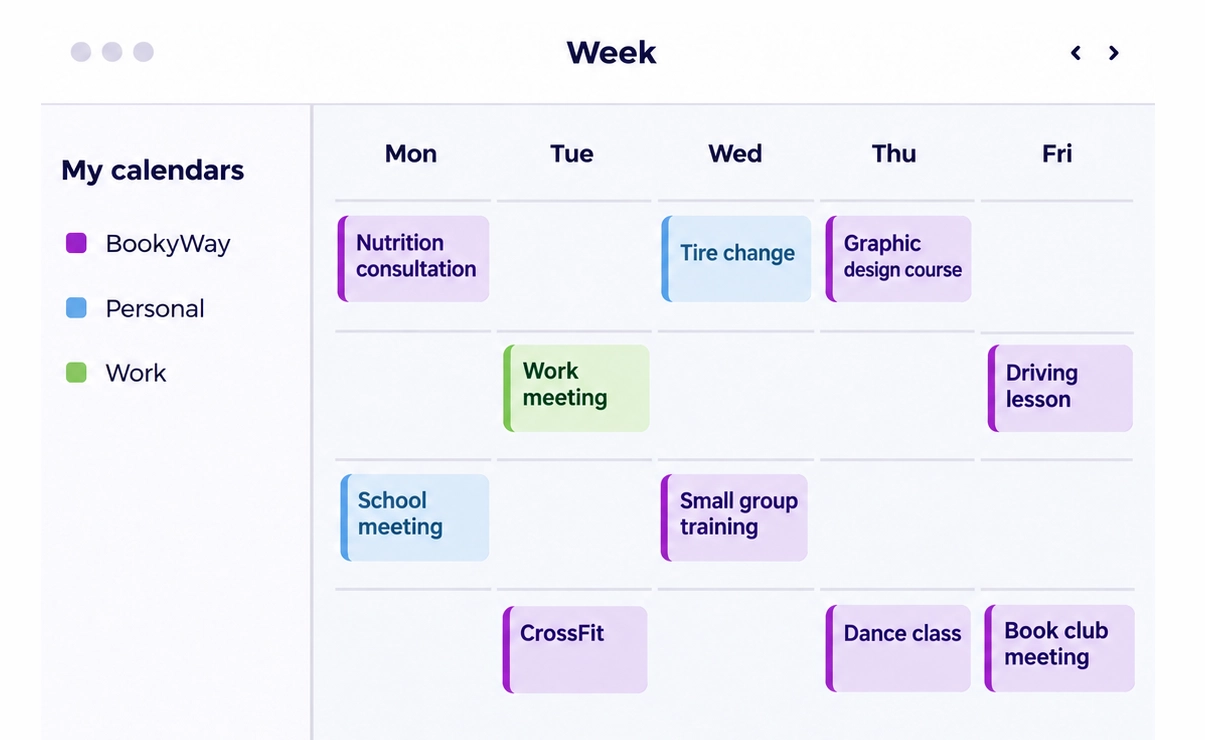
Your activities alongside the rest of your day
Center managers and instructors can view their schedules without switching calendars. BookyWay activities appear in their chosen calendar, alongside their other commitments.
BookyWay remains the place where you organize and edit your classes. The connected calendar provides an additional, read-only view of your BookyWay activities.
The right view for every role
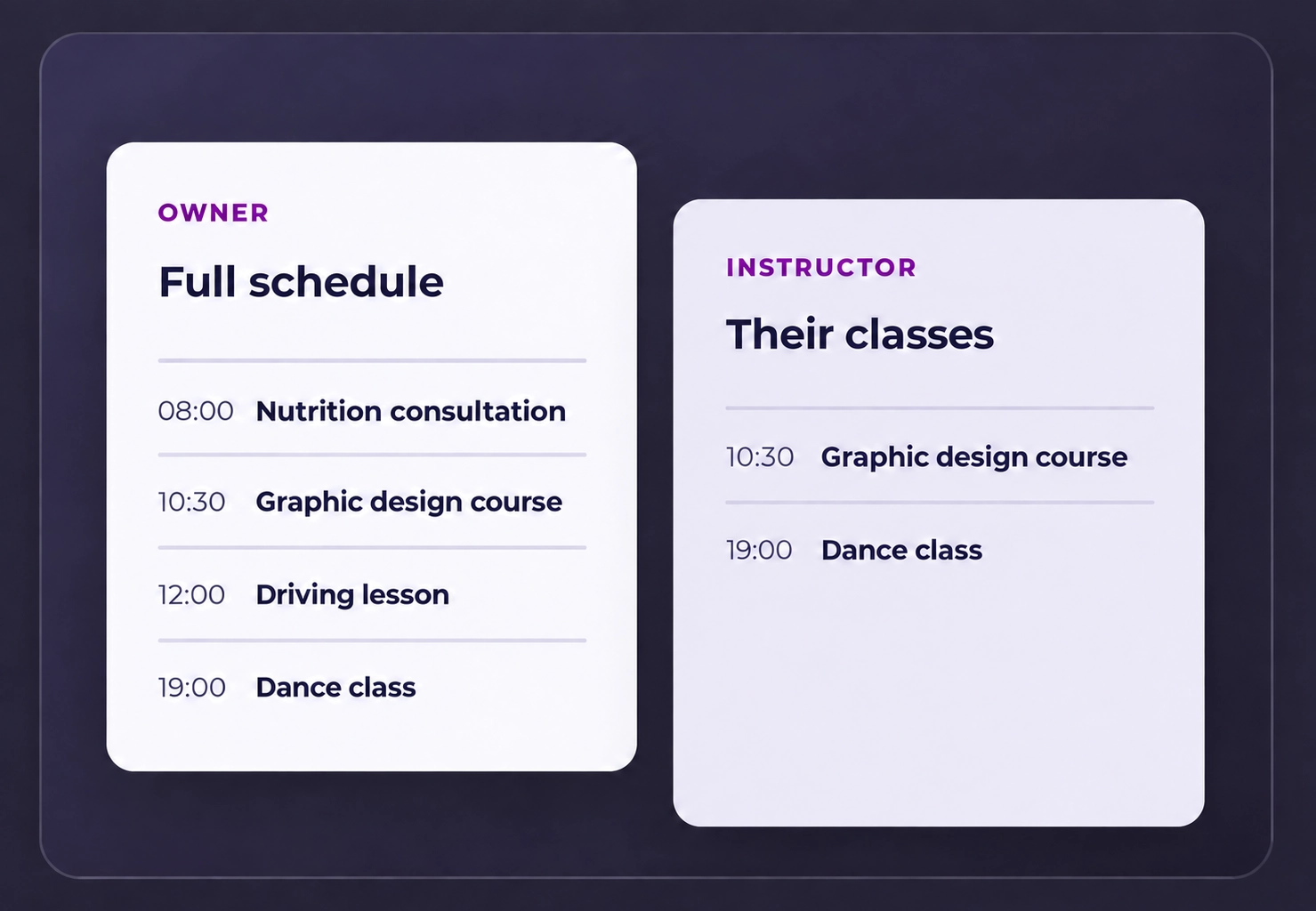
Administrators can view the center’s complete schedule. Each instructor sees only the classes they teach.
This means the same feature helps both those who coordinate all the activities and those who simply want to keep track of their own appointments.
From BookyWay to the calendar you already use
The feature displays your BookyWay activities in an external calendar.
Your schedule continues to be managed in BookyWay.
01
Organize everything in BookyWay
The center’s schedule and the instructors’ classes remain on the platform you already use.
02
Check your calendar
Your activities appear alongside your other commitments in Google Calendar, Apple Calendar or Outlook.
03
See the updates
When the schedule changes, the connected calendar updates automatically according to the refresh times of the service you use.
One calendar for the center, one for each instructor
Two views of the same schedule, designed for different needs.

For administrators
A complete view of all the center’s scheduled activities, so they can always keep track of the day and upcoming classes.

For instructors
A personal view of the classes taught by each instructor, alongside the other appointments in their calendar.
The benefits of a connected calendar
A clearer view of the schedule, with the information each person needs.

All your commitments in one place
BookyWay activities appear alongside your personal and work appointments.

A view for every role
The center sees the complete schedule, while each instructor sees their own classes.

Automatic updates
Changes appear in the connected calendar according to the refresh times of the selected app.

View without editing
Activities are displayed in read-only mode, while all scheduling continues to be managed in BookyWay.

Desktop and mobile
View your schedule on the devices you use every day.

A clearer day, every day
A quick look at your calendar helps you keep track of classes and other commitments.
In the calendar you prefer
The feature is designed for Google Calendar, Apple Calendar and Outlook users.

Google Calendar
Your BookyWay activities appear alongside the other calendars in your Google account, including in the mobile app.

Apple Calendar
View your activities in the Calendar app on Mac, iPhone and iPad.

Outlook
See your BookyWay schedule alongside the other appointments in your Outlook calendar.
A schedule that is easier to keep track of
BookyWay brings your center’s activities into the calendar that is already part of your day.