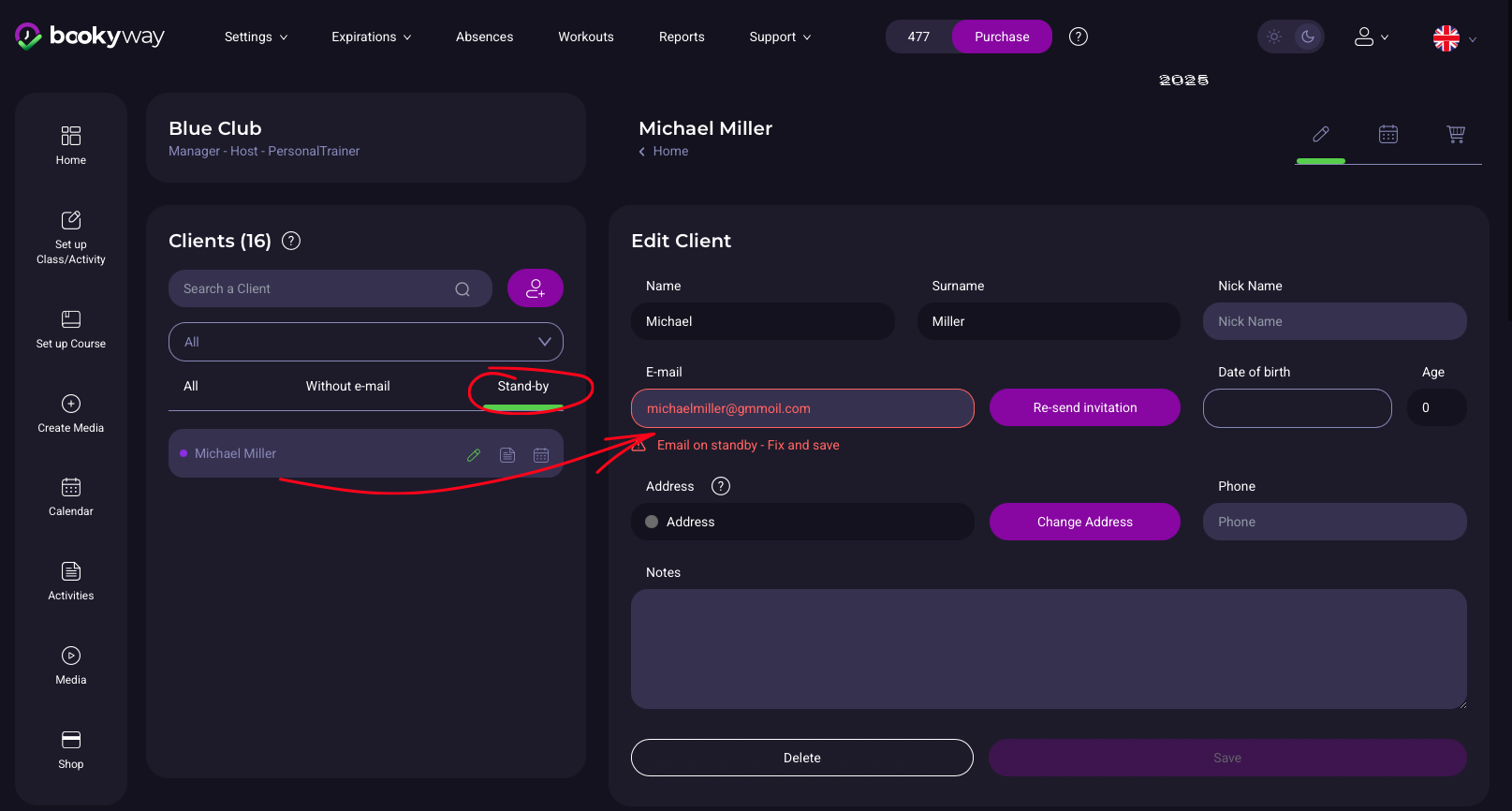
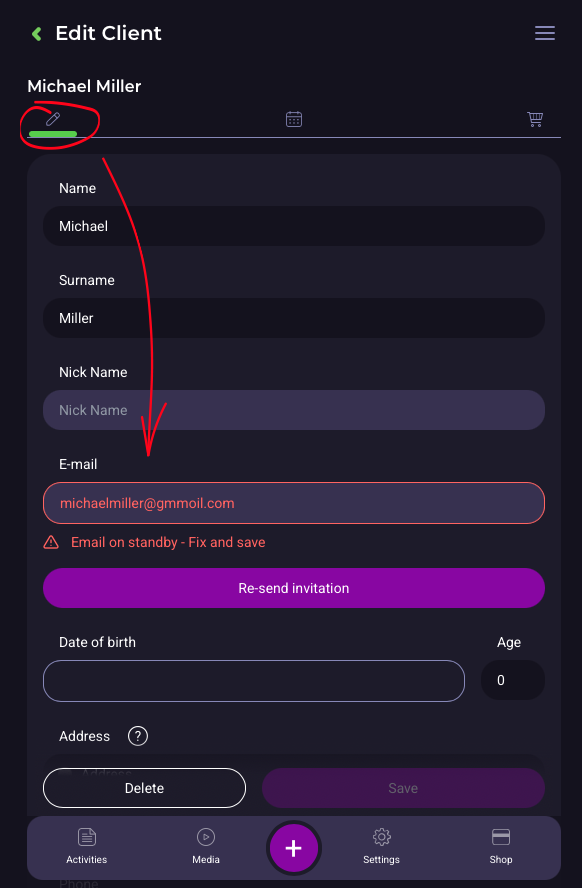
What “e-mail on stand-by” means and how to fix it
When you invite a client on BookyWay, sometimes the e-mail doesn’t reach its destination. In these cases, the address is marked in red and the status remains on Stand-by.
⚠️ MOST COMMON CAUSES
- Typo in the e-mail address (so it doesn’t exist)
- Recipient’s mailbox is full
- Rejection by the recipient’s server, e.g., corporate mailboxes with security protocols that block unrecognized emails.
- The e-mail ends up in the spam/junk folder, if the user marks it or doesn’t retrieve it, the server may start rejecting subsequent attempts.
✅ WHAT TO DO
- ✏️ If the e-mail is incorrect → correct the address and click Save
- 📤 If the mailbox was full → ask the client to free up space, then click Re-send invitation
- 🚫 If the mail still doesn’t arrive → the recipient’s server may have activated blocks due to repeated attempts, so the status remains purple. Contact us at support@bookyway.com
- 📩 If the client received the e-mail but it still shows “Stand-by” → click Re-send Invitation again