📌 BookyWay administrators can access the app and view the participants enrolled in classes using the same credentials they use to access the administration platform.
If you access the BookyWay app as an administrator, you can always view all participants enrolled in classes, regardless of the visibility settings configured for instructors.
1. Access the app as an administrator
Open the BookyWay app and log in using the same credentials you use to access the administration platform.
2. Open the class you want to check
From the app, select the activity or class you are interested in to access its information.
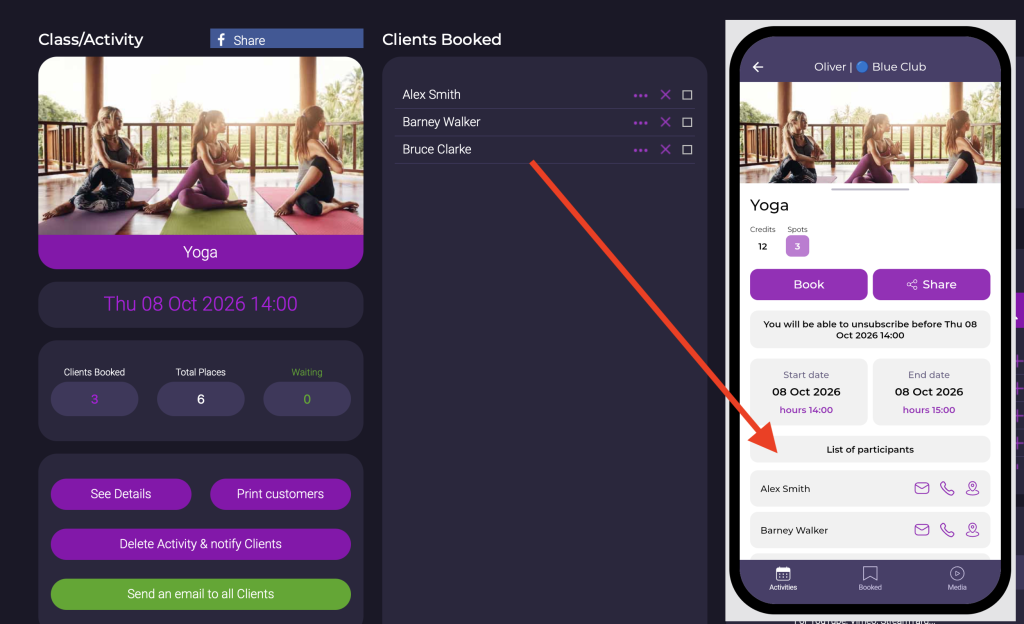
3. View all participants
As an administrator, you can always view the participants enrolled in the class.
This is available regardless of the settings chosen for participant visibility for instructors.
🔐 Administrator and instructor: an important difference
The participant visibility settings available in the activity configuration apply to instructors.
An administrator, on the other hand, when accessing the app with an administrator account, can always view the participants enrolled in classes.
📱 Use BookyWay as an administrator from your phone
Would you like to know how to use BookyWay as an administrator directly from your smartphone?
👉 Read the guide: How can I use BookyWay as an administrator from my phone?
🎯 In summary
- Administrators can access the app using the same credentials used for the administration platform
- They can always view the participants enrolled in classes
- The visibility settings configured for instructors do not limit what administrators can see