If you wish to delete your BookyWay account, you can do so at any time by sending us a request via email.
We kindly ask you to carefully follow the steps below, so we can process your request quickly and correctly.
✉️ 1. How to send the request
To proceed with the deletion, you must send an email from the same address used to create the account to support@bookyway.com including:
- an explicit request to delete your account
- the account ID of the account you want to delete
🔴 Important: Without the account ID, we won’t be able to proceed. 👉🏼 Click here to find your Account ID 📌
See example

🔁 If you have duplicate or incorrect accounts
If you see duplicate accounts or ones created by mistake, follow these steps:
- Log out and log back into BookyWay: you’ll be asked to choose which account to access.
- If accounts have the same name, enter each one to identify which is which (they are usually shown in the order of creation).
- Once you’ve identified the account you want to delete, follow the instructions in Step 1 to send us the account ID.
- If the accounts have the same name, you can help us by temporarily renaming the one to be deleted via the settings — for example: “TO BE DELETED”.


📋 2. How to find and copy your Account ID
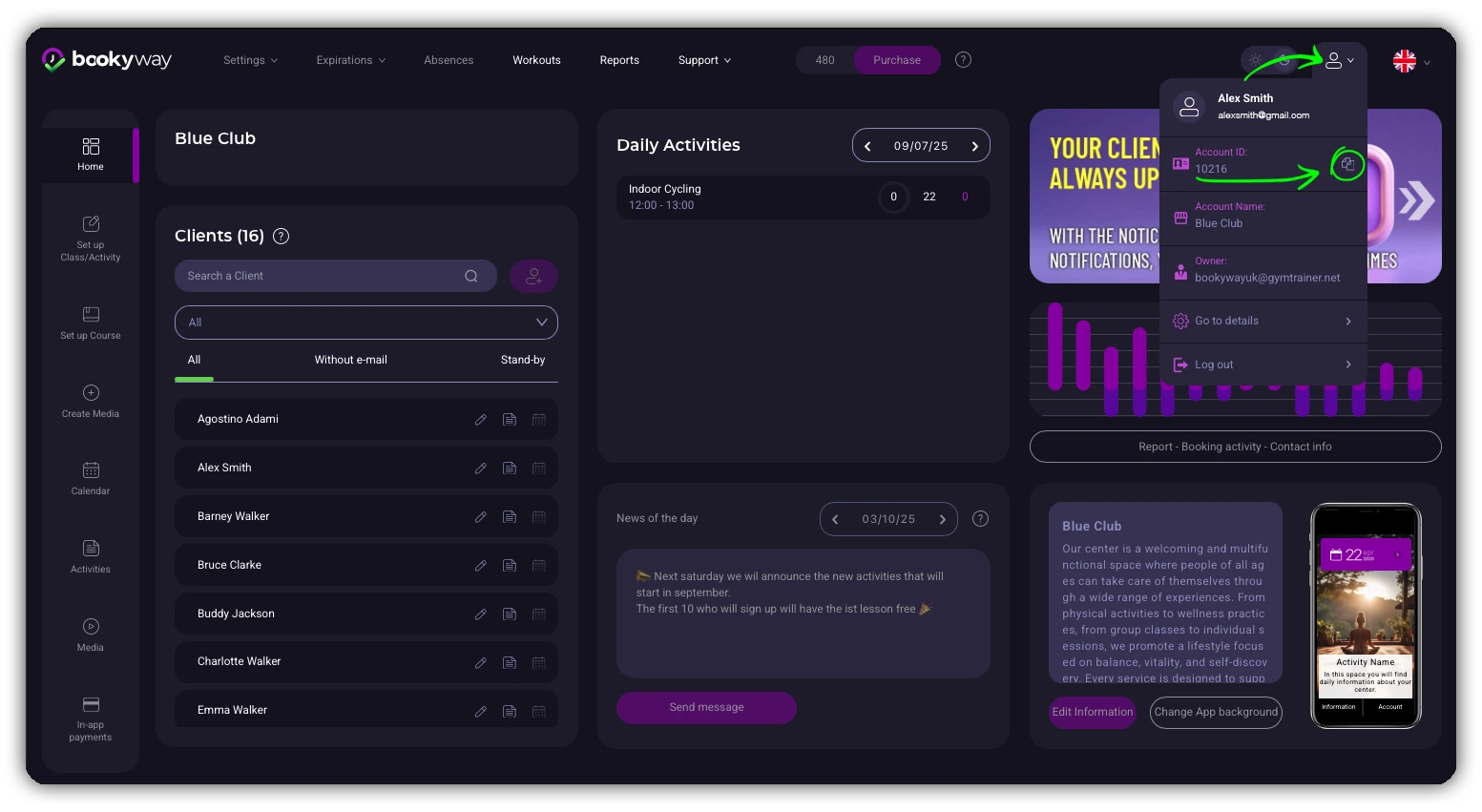
🖥️ From desktop:
- Log in to the application and click your avatar in the upper right corner.
- Click “Copy”: your account details will be copied to the clipboard.
- Paste the copied text into the body of the email.
📱 From mobile:
- On the app’s home page, scroll down to the bottom.
- Tap the “Copy” button to copy the account information.
